A Guide to AI-Native Product Design
/ 6 min read
The Shift from Pixels to Systems
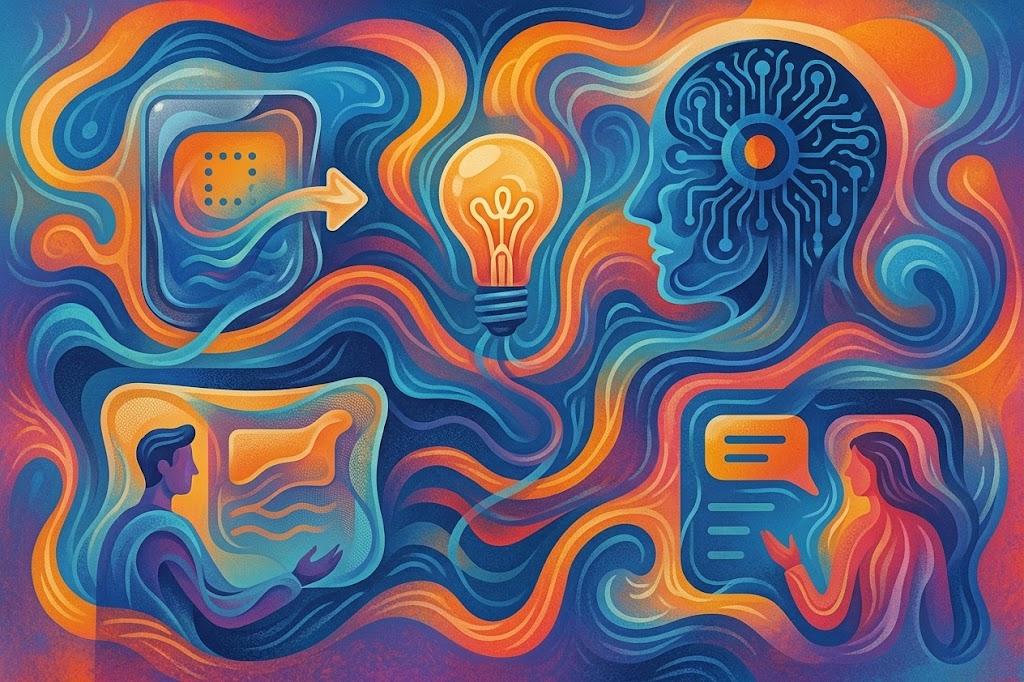
The era of deterministic interfaces—where a specific click leads to a fixed result—is over. We are moving into the age of probabilistic systems. We are shifting from “pixels to systems,” and more importantly, from “Designer-in-the-loop” to “Human-in-the-loop.”
AI Design is the integration of machine learning and generative algorithms to augment human intent. It represents a transition from creating every individual button to orchestrating intelligent collaborators. While AI can automate the “how,” the “why” remains a fundamentally human craft rooted in empathy and storytelling.
We are entering the era of vibe coding, a paradigm where designers communicate intent through living prototypes—using tools like Cursor, Claude, Windsurf or Figma Make—rather than static, high-fidelity handoffs. In this landscape, the designer acts as a curator, setting the boundaries for a system that evolves alongside the user.
AI-native delivery is not about using more AI tools. It is about designing delivery systems where AI and humans collaborate by default, supported by shared context, clear accountability, and built-in governance.
The Golden Rule: AI-Second Design
The most dangerous trap for product teams is “AI-First” thinking—building a feature and then hunting for a problem to justify it. We must adopt an AI-Second (User-First) mindset.
Analogy: Think of AI as seasoning. You don’t dump an entire jar of pepper into a pot because you bought the pepper; you taste the dish first and add what is missing.
AI should enhance a product that already delivers value. We must identify real friction points before applying a generative solution. Crucially, we must acknowledge that the blinking cursor is a terrible onboarding experience. Expecting a user to articulate complex intent from a blank state is a failure of design.
The Modular Prompt Formula
As designers become curators of intelligence, mastering the input is a core competency. Use this specific formula to move from vague requests to high-utility outcomes:
[Context] + [Task] + [Format] + [Tone] + [Constraints]- Context: Who is the user? What is the scenario?
- Task: What exactly should the AI do?
- Format: List, table, JSON, or prose?
- Tone: Playful, clinical, or sardonic?
- Constraints: Length limits, banned words, or specific brand requirements.
The Five Unique Qualities of AI Products
Designing for AI requires a fundamental shift in product logic. We are no longer designing for “If X, then Y,” but for a range of probable outcomes.
-
Focus on Data: You must design for the data lifecycle—how we collect, clean, label, and govern the information that feeds the model.
-
Probabilistic Outputs: Interfaces must be built for variability. You are no longer designing for a single “happy path,” but for a system that might return one sentence or ten paragraphs. This requires flexible containers and robust fallback mechanisms.
-
Human-in-the-Loop: Designers must define “decision boundaries”—specific moments where the AI acts autonomously versus where a human must intervene to approve or dispose of a proposal.
-
Ethical Considerations: Bias is an inherent byproduct of training data. Responsible design embeds principles of fairness, privacy, and transparency from the very first wireframe.
-
Shared Ownership: The silo between “Design” and “Engineering” is dead. Product designers and AI/Data engineering teams share direct ownership of interface assets and model behavior.
Five Stages of Modern Product Design
Integrating machine intelligence does not replace the traditional design cycle; instead, it collapses feedback loops and turns linear execution into a continuous, data-informed dialog. Here is how strategic design teams leverage AI across each fundamental phase:
1. Discovery & Research: Accelerated Empathy at Scale
- Synthetic Synthesis: Instead of manual transcript tagging and weeks of sentiment scoring, natural language models parse hundreds of hours of customer interviews, support tickets, and community chatter in seconds to surface latent behavioral patterns.
- Uncovering Blind Spots: Machine learning clusters disparate feedback points to spotlight unmet needs, shifting research from retrospective validation to proactive opportunity mapping.
2. Generative Ideation: Broadening the Problem Space
- Multimodal Brainstorming: Creative teams use generative engines as non-deterministic thinking partners—generating divergent scenarios, visual analogies, and preliminary storyboards in real time.
- Instant Conceptual Scaffolding: Moving beyond the blank canvas, designers prompt conversational agents to sketch low-fidelity text wireframes and architectural flows, allowing teams to evaluate multiple strategic directions in the time it previously took to sketch one.
3. Living Prototyping: From Static Mocks to Functional Realism
- Dynamic Interface Synthesis: Prototyping shifts away from linked static screens. Modern AI-native environments translate prompts, component rules, and design tokens directly into functioning, interactive micro-frontends.
- Continuous Edge-Case Stress Testing: Generative tooling instantly populates layouts with localized copy, extreme text lengths, and varying device viewport constraints, stress-testing component resiliency before writing production code.
4. Algorithmic Iteration: Continuous Optimization & Tuning
- Adaptive Experimentation: Multivariate testing evolves from coarse 50/50 splits into predictive, continuous evaluation. AI systems track behavioral signals to identify exactly where friction emerges in complex user journeys.
- Refinement Automation: Rather than manually generating dozen-state button variants or responsive breakpoints, designers establish systemic parameters and allow automated heuristics to handle granular production polish.
5. Deployment & Beyond: Ambient Instrumentation & Evolution
- Real-Time Telemetry: Once launched, products act as continuous sensors. Machine learning models trace micro-interactions, flagging drop-off triggers and usability bottlenecks in real time.
- Self-Healing & Evolving Interfaces: Systems no longer stay frozen between formal releases. Post-launch analytics feed directly back into product backlogs, autonomously proposing interface adjustments and architectural improvements tailored to shifting real-world behavior.
Essential AI Design Patterns: A Practical Taxonomy
To manage the meeting place between humans and synthetic systems, we use a structured taxonomy of interaction patterns:
The AI Pattern Library
| Pattern Category | Definition | User Benefit | Real-World Example |
|---|---|---|---|
| Wayfinders | Patterns that eliminate cold-start friction and suggest forward paths. | Reduces “time-to-value” and token waste. | Spotify AI Playlists: Suggestion chips; Prompt Enhancers: “Enhance” action buttons that transform a raw phrase into a PRD. |
| Governors | Mechanisms that ensure human oversight and explicit approval of AI initiative. | Guarantees alignment with intent prior to irreversible execution. | Cursor / Replit: Planning mode that details a step-by-step action plan before writing code. |
| Trust Builders | Patterns that provide auditable evidence and reveal system reasoning. | Calibrates credibility and enables user verification. | Perplexity: Citation-first answer model; OpenAI Atlas: Inline “stream of thought” logic elements. |
| Tuners | Controls for granular refinement of input parameters and outputs. | Enables high-agency steering of probabilistic results. | ElevenLabs: Voice stability/temperature sliders; Midjourney: Stylization and variety parameters. |
Building Trust through the Three Layers of Transparency
Trust is not a static checkbox; it is an ongoing journey. Designers must navigate the “Trust Trap”—the risk of users over-trusting (blindly accepting hallucinations) or under-trusting (abandoning the product entirely).
We calibrate trust through three distinct layers:
- Visibility: Seeing the process (e.g., displaying the model’s reasoning or inline logic).
- Explainability: Understanding the “why” (e.g., “Recommended because your profile matches 4 out of 5 required skills”).
- Control: The absolute ability to override, tune, or roll back the AI’s output.
References
Here is a collection of reading materials you can refer to learn more about AI native product design:
Have a question, feedback, or simply want to adpot AI driven product design in your organization? Shoot me a DM and I’ll do my best to get back to you.
Thank you!
I am available for new projects. Let’s collaborate and build something great together.